
Product Tour

A closer look at the BIA operating experience

Preview the core management views and workflows that help brokers stay organized and informed.

Brokerage command centre

Start from one organised workspace, not scattered tools

The main workspace groups the office into practical areas: policies, renewals, clients, opportunities, claims, billing, debtors, commission, accounting, marketing, payroll, and reporting. Users see and use what their role allows.
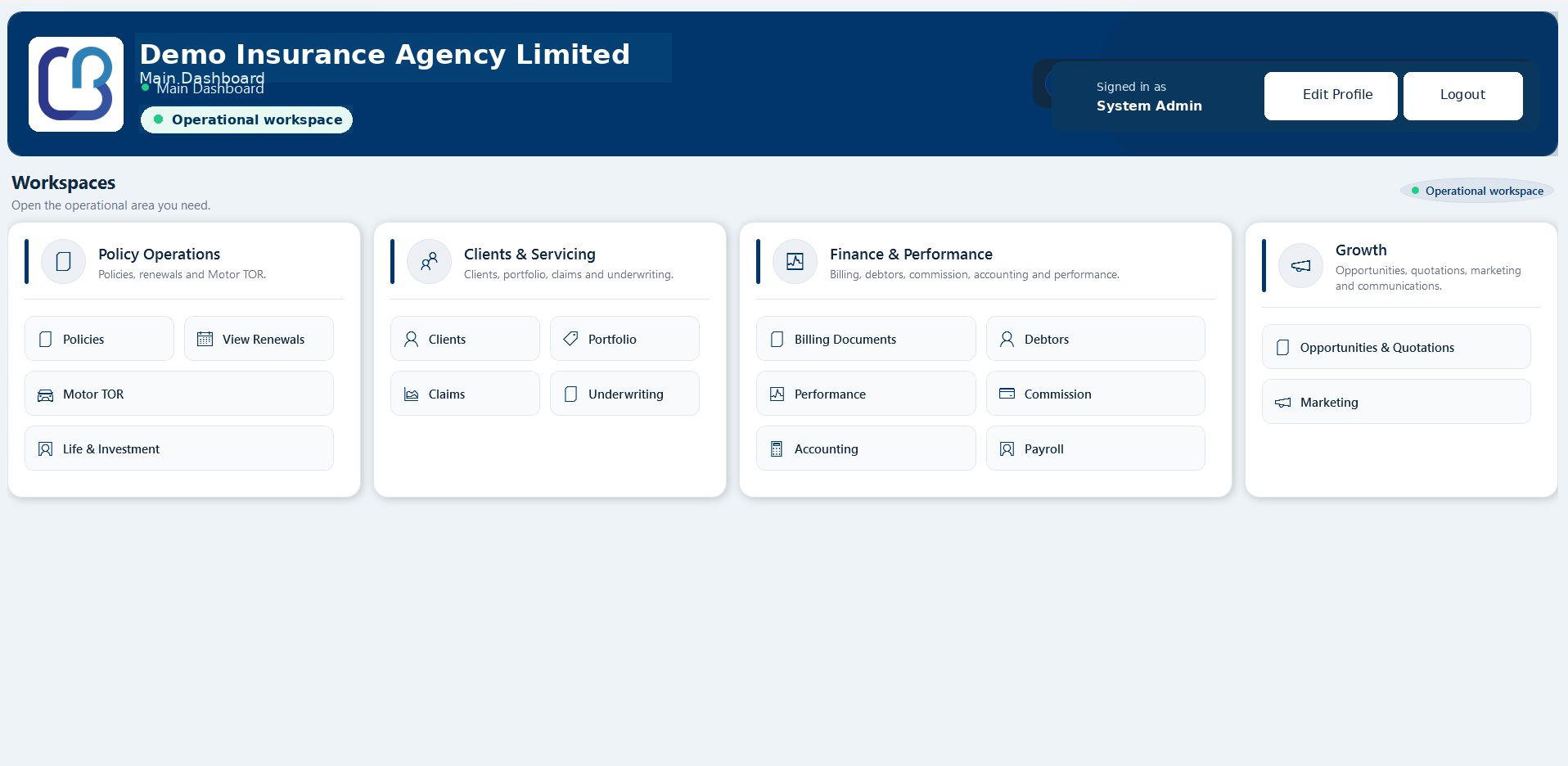
  • Policy operations, renewals, cancellations, risk notes, and TOR
  • Client, portfolio, claims, and underwriting workflows
  • Billing documents, debtors, performance, accounting, and commission
  • Marketing and customer communication access points
BIA Main Workspace
BIA Main Workspace screenshot

What BIA connects

One operating system for the work that usually gets scattered

BIA is designed as a desktop-first operating and financial-control platform for broker teams. Instead of spreading work across spreadsheets, emails, files, and manual diaries, the app connects the daily operating areas into one structured environment.

Client, compliance & portfolio

Keep client profiles, contact details, compliance notes, beneficial ownership records, policies, claims, balances, documents, and communication history connected.

Opportunities & quotations

Develop sales opportunities, prepare insurer-specific quotations, compare alternatives, track follow-ups, and record the outcome before placement.

Policies, risks & servicing

Create policy records, capture structured risk items, manage endorsements, cancellations, renewals, TOR, valuations, and controlled document outputs.

Billing, receipts & debtors

Issue invoices and credit notes, record receipts, allocate payments, manage overpayments or unallocated deposits, and review debtor exposure.

Commission, accounting & payroll

Review expected and received commission, insurer position, accounting reports, payroll records, payslips, statutory liabilities, and management controls.

Claims, communication & marketing

Register claims, track follow-up, preview client messages, send governed marketing campaigns, and preserve professional communication history.

Policy operations

Service policies without losing the history around them

Policy work connects the client, insurer, product, cover dates, references, premium, structured risk items, documents, endorsements, cancellations, renewals, TOR, valuations, and audit history so the current position is easier to understand.

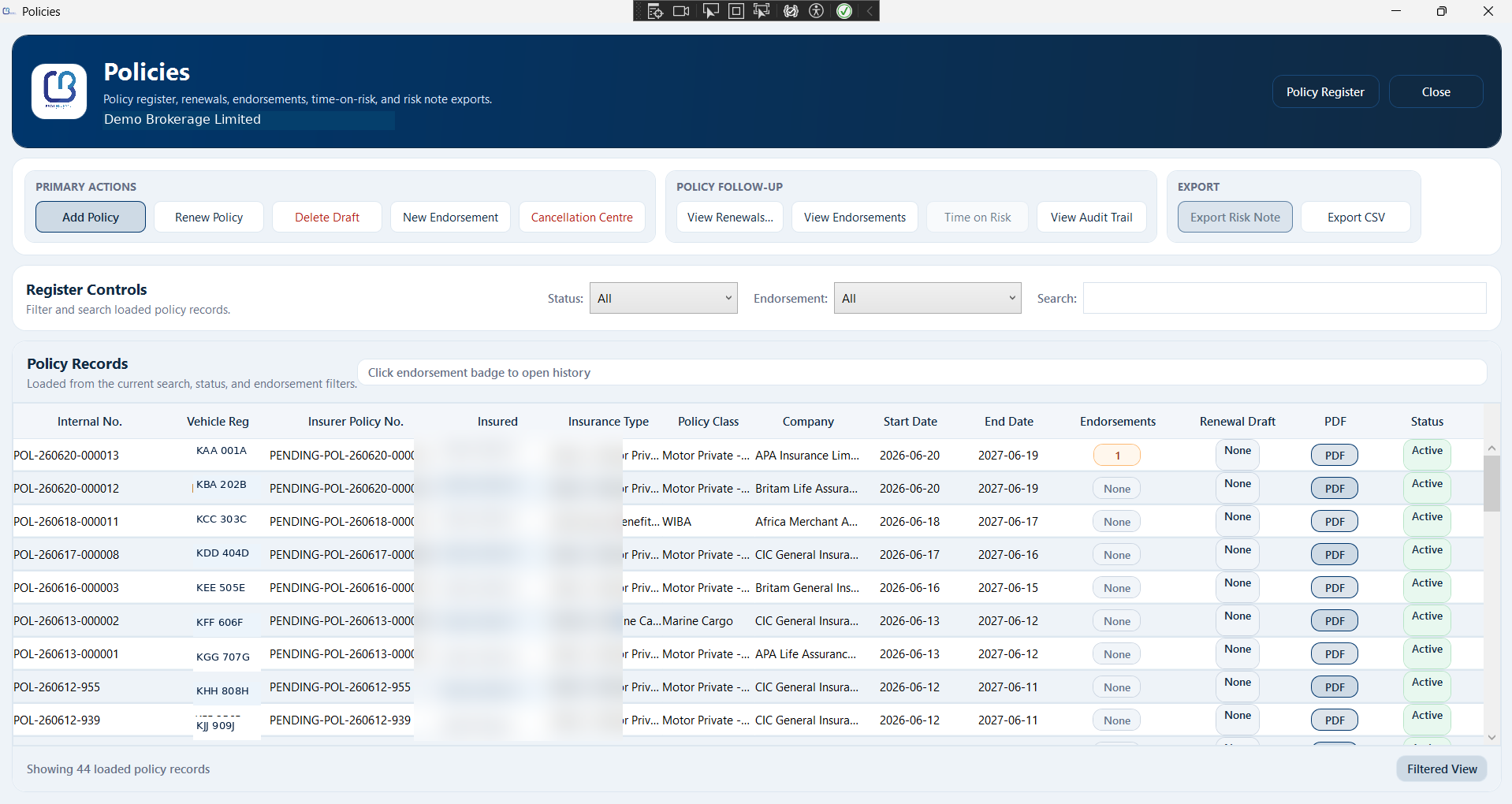
Policy Register
Policy Register screenshot

Policy register with servicing context

Find and service policy records using practical search fields such as client, vehicle registration, insurer policy number, risk note number, status, endorsement position, and document availability.
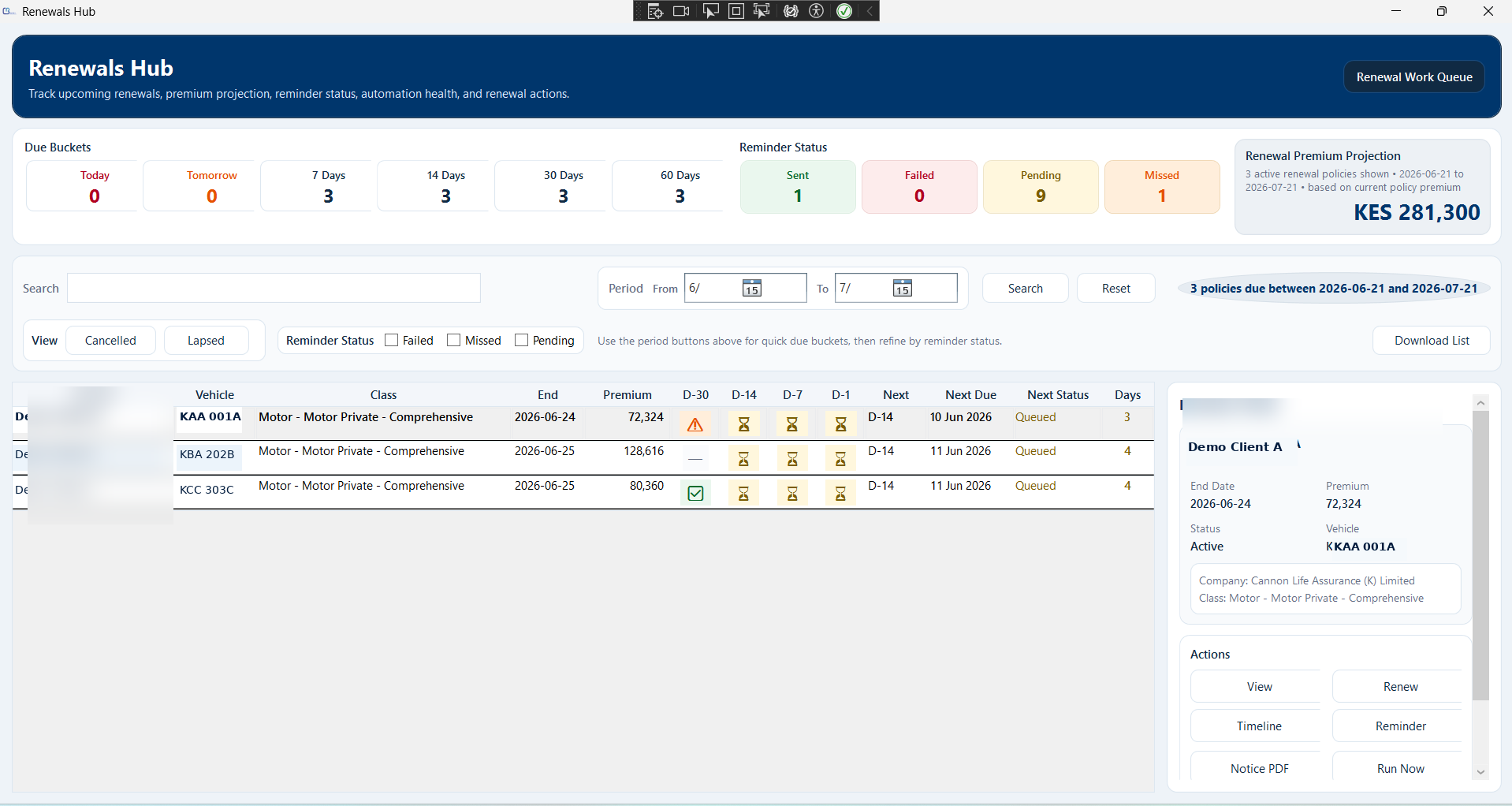
Renewals Hub
Renewals Hub screenshot

Renewals hub for disciplined follow-up

Review upcoming expiries, notice status, reminder stages, renewal drafts, projected premium, missed follow-ups, and the next action due before the business is lost.
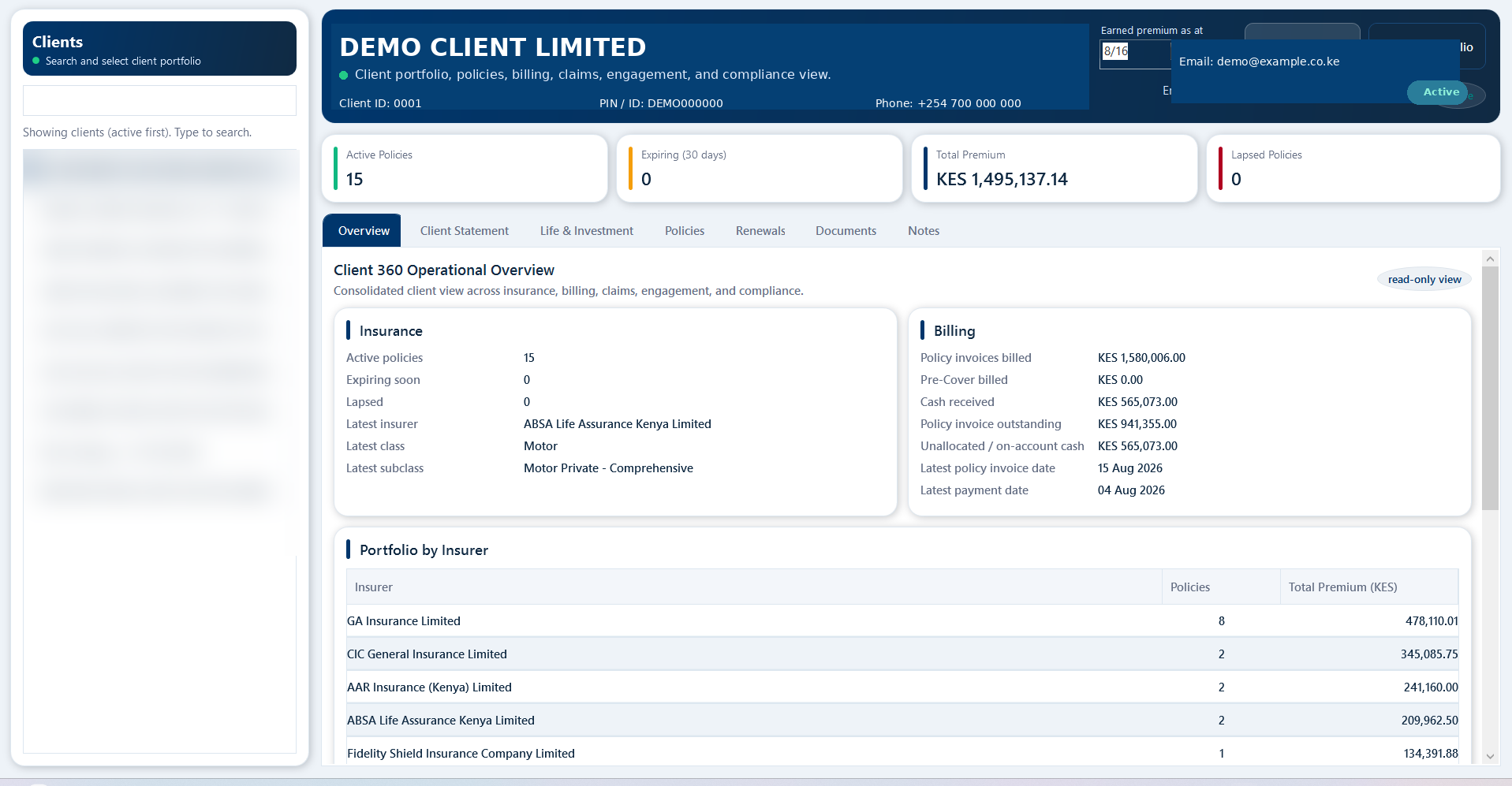
Client 360 View
Client 360 View screenshot

Client 360 relationship view

Bring client profile, policies, billing position, documents, renewals, claims, and compliance context into one clear servicing view.
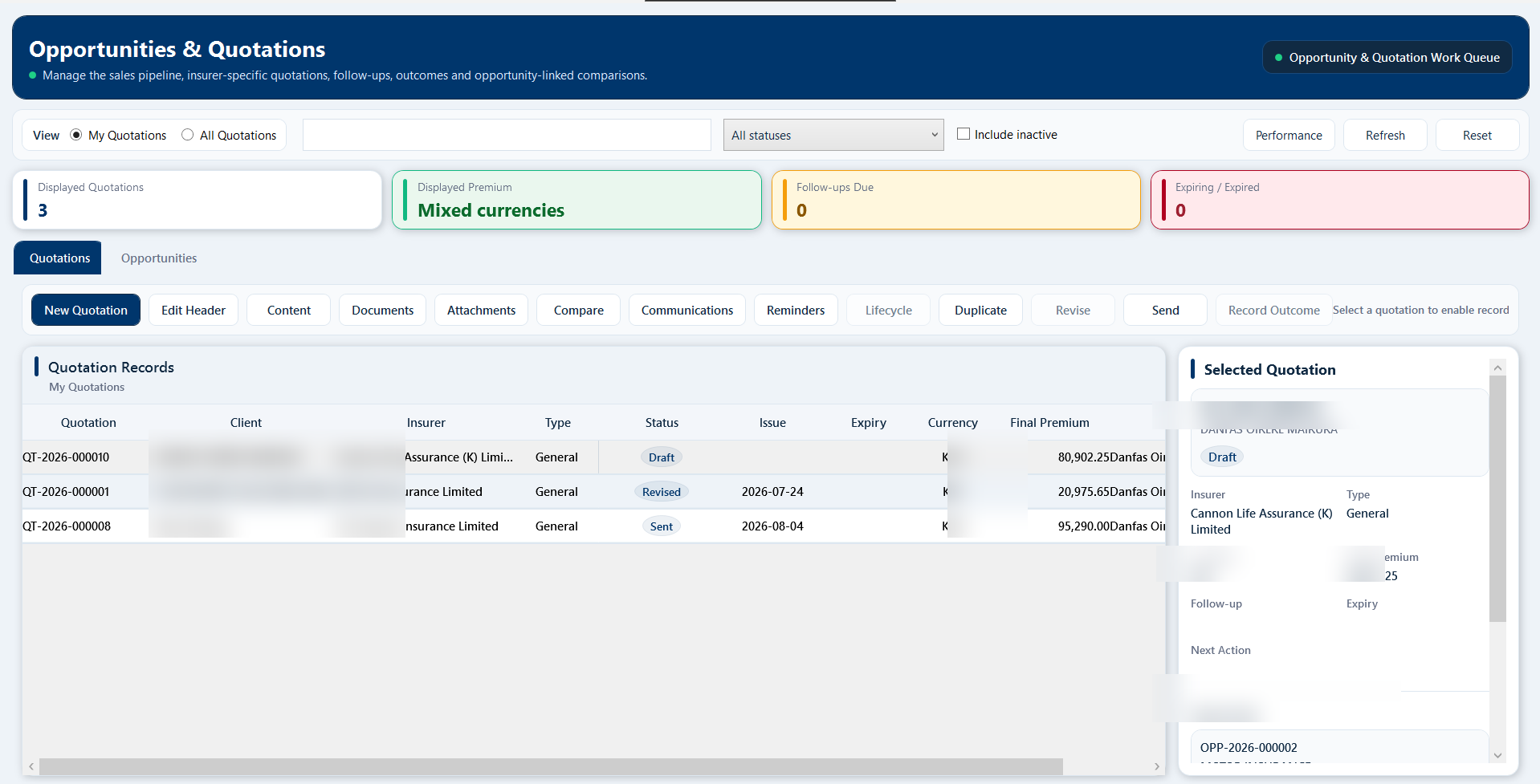
Opportunities & Quotations
Opportunities & Quotations screenshot

Opportunity and quotation workflow

Track pre-placement work with insurer-specific quotations, follow-ups, comparisons, communication, and recorded outcomes before business is placed.

Billing and commission intelligence

Know what has been billed, collected, allocated, earned, and reported

The finance side connects billing documents, receipts, allocations, credit notes, debtors, insurer position, commission expectation and receipt, accounting reports, payroll records, and management dashboards.
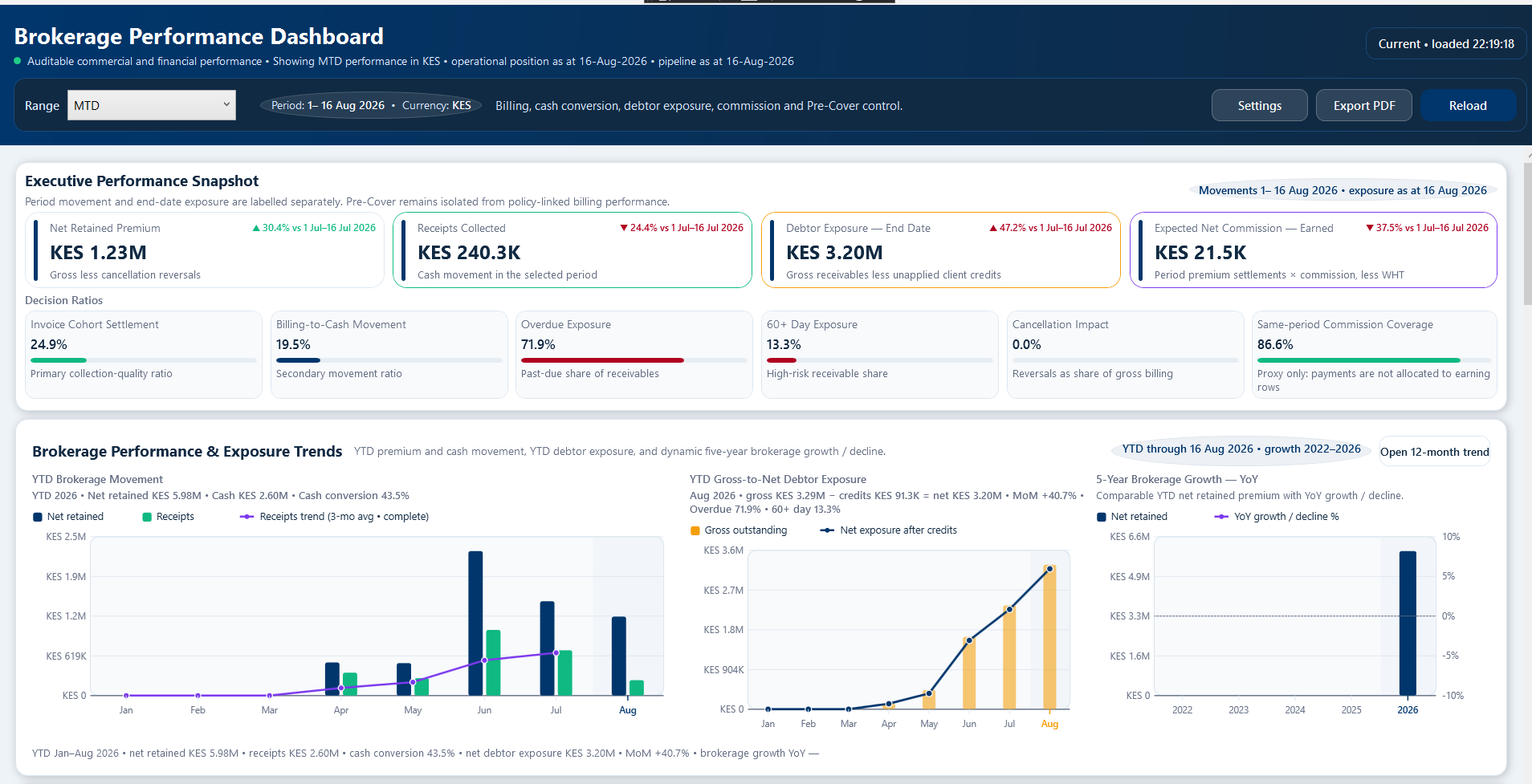
Brokerage Performance Dashboard
Brokerage Performance Dashboard screenshot

Billing performance dashboard

Review debit value, receipts, collection conversion, credit movement, outstanding balances, debtor exposure, business mix, commission visibility, action queues, and pre-cover pipeline health from one management view.
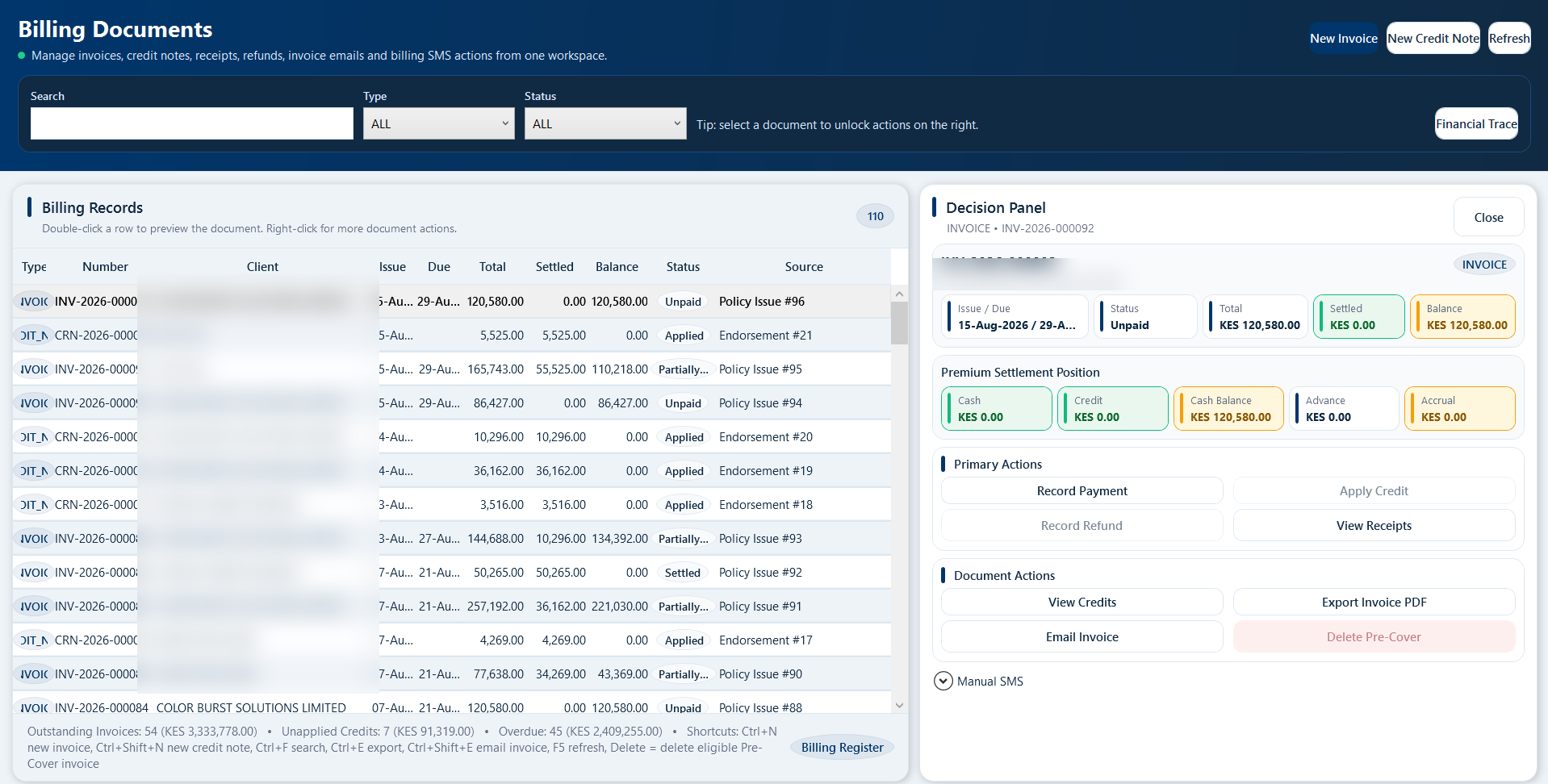
Billing Documents
Billing Documents screenshot

Billing documents in one workspace

Manage invoices, credit notes, payment actions, PDF exports, billing decisions, and financial trace visibility from one controlled billing screen.
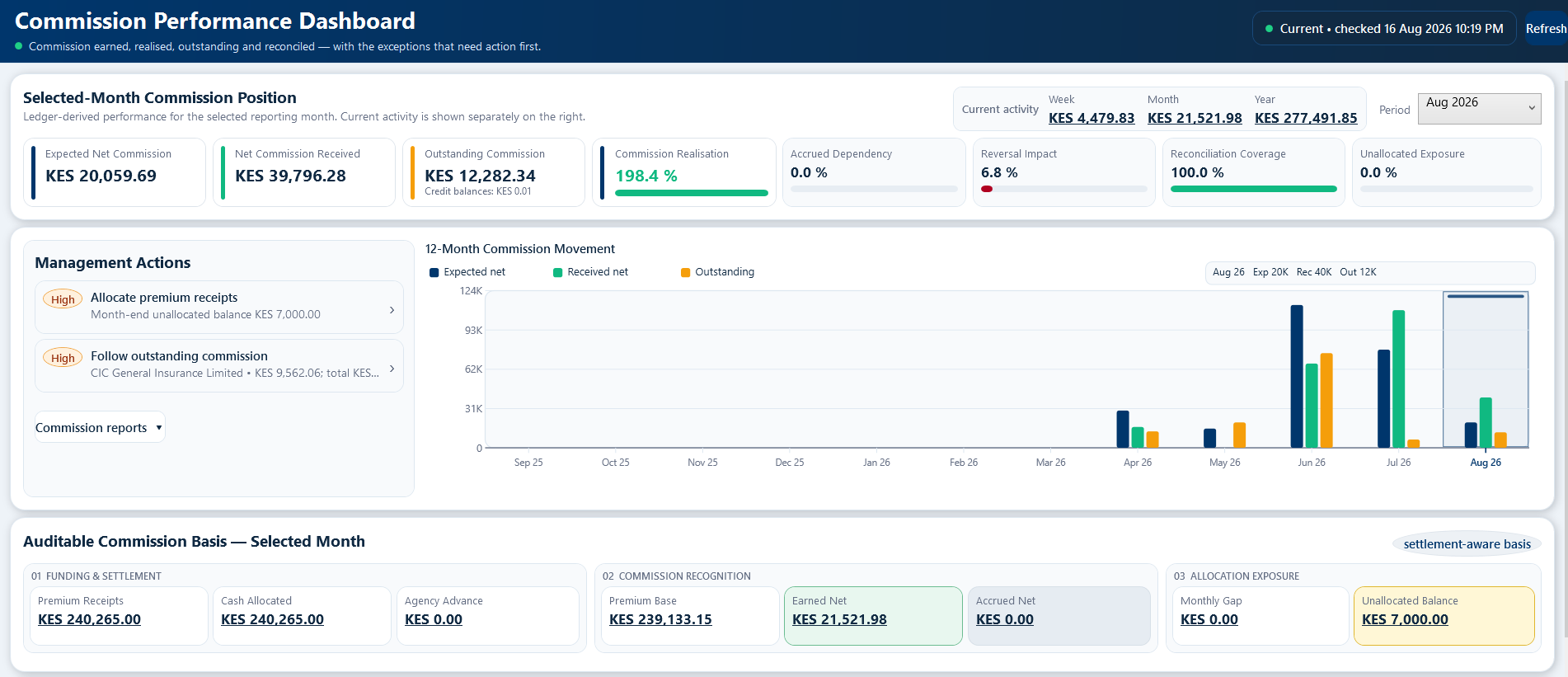
Commission Performance Dashboard
Commission Performance Dashboard screenshot

Commission dashboard

Track expected gross commission, withholding tax, net commission, received payments, outstanding balances, insurer carry-forward, and the income position that needs management follow-up.
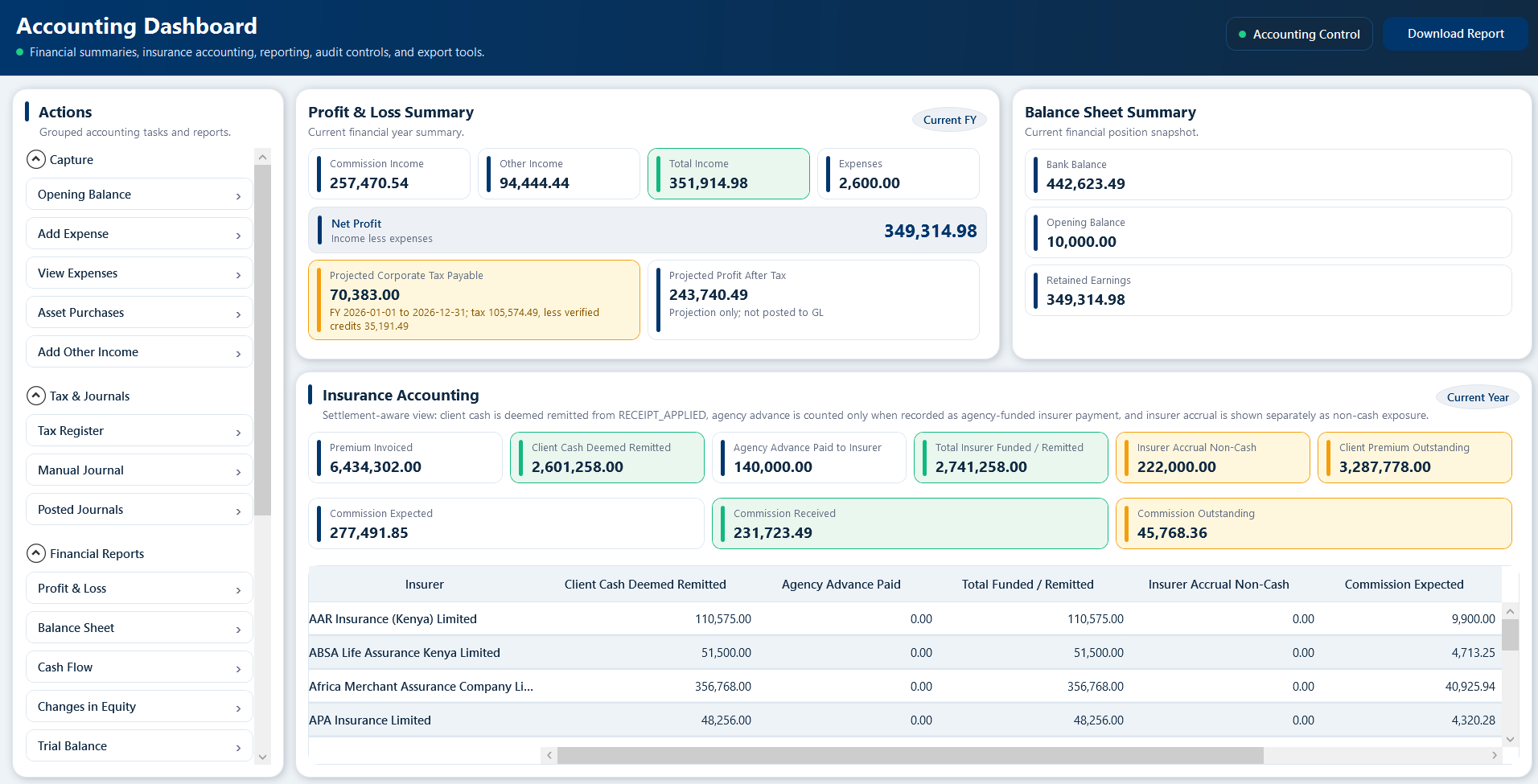
Accounting Dashboard
Accounting Dashboard screenshot

Accounting and reporting visibility

Move from operational insurance records into ledgers, journals, tax registers, financial statements, and export-ready reporting without leaving the platform.

Operational depth

Operational depth without turning the page into a manual

The full user manual covers many detailed workflows. On the website, the Product Tour keeps those details grouped into a few clear operating themes so visitors understand the value without being overwhelmed.

Client 360° and compliance

Bring client profiles, policies, claims, invoices, receipts, balances, compliance review notes, beneficial ownership records, statements, and communication history together.

Sales pipeline and quotations

Create Opportunities, prepare insurer-specific quotations, compare options, manage follow-ups, preserve documents, and record the commercial outcome before placement.

Risk items, TOR and valuations

Capture structured risks such as vehicles or locations, monitor motor Time on Risk, and follow valuation requirements through staged reminders where configured.

Claims and communication

Register claims, link them to policies, record status updates, preview client or insurer messages, and keep follow-up visible to the team.

Documents, marketing and reporting

Generate broker-branded documents and reports, support governed marketing campaigns, and give management structured views of business performance.

Roles, accounting and payroll controls

Support role-based access, accounting period discipline, payroll records, payslips, statutory liabilities, approvals, audit trail, backup readiness, and guided deployment.

Operating workflow

From policy setup to management reporting

1. Create and manage policies

Keep client and policy records organized, searchable, and connected to broker documents.

2. Issue billing documents

Generate invoices, receipts, credit notes, and statements using controlled broker branding.

3. Track income and follow-up

Monitor renewals, claims, debtors, and commission position from management dashboards.

4. Service, control and report

Manage renewals, endorsements, cancellations, claims, TOR, valuations, communications, debtors, commission, accounting, payroll, dashboards, and management reports.

See the full workflow in the Product Tour

Explore the Product Tour for the detailed workflow, or request a guided demo tailored to your office.